



The Upper St. Clair School District provides supplementary education to eligible students through the Federal Title I, Part A program. These students must be properly coded in Focus for accurate PIMS reporting, as well as federal review.
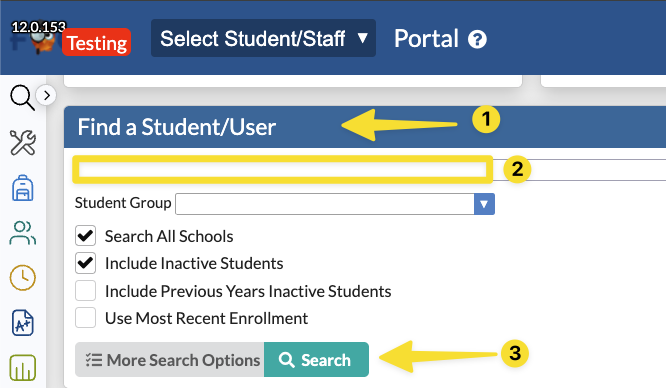
1. Access a student's record either by using the Find a Student/User feature on the Focus Home Page or by going to Students>Student Info in the menu. Enter the student's name or ID number, then click Search.
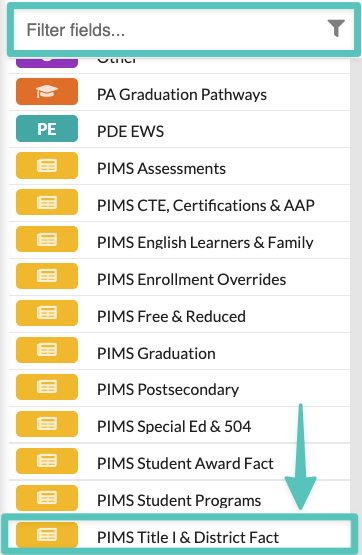
2. Navigate to the PIMS Title I & District Fact tab either by scrolling down through the tabs, or by typing Title I into the filter at the top of the tab column.
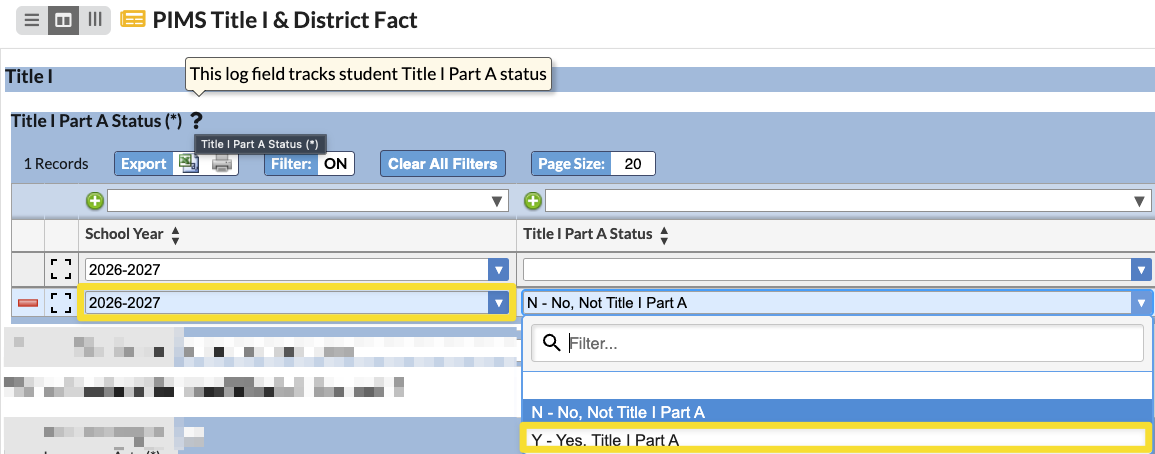
3. Verify that the data being changed is for the current school year. From the Title I Part A Status column, click the drop down and choose Y - Yes, Title I Part A.
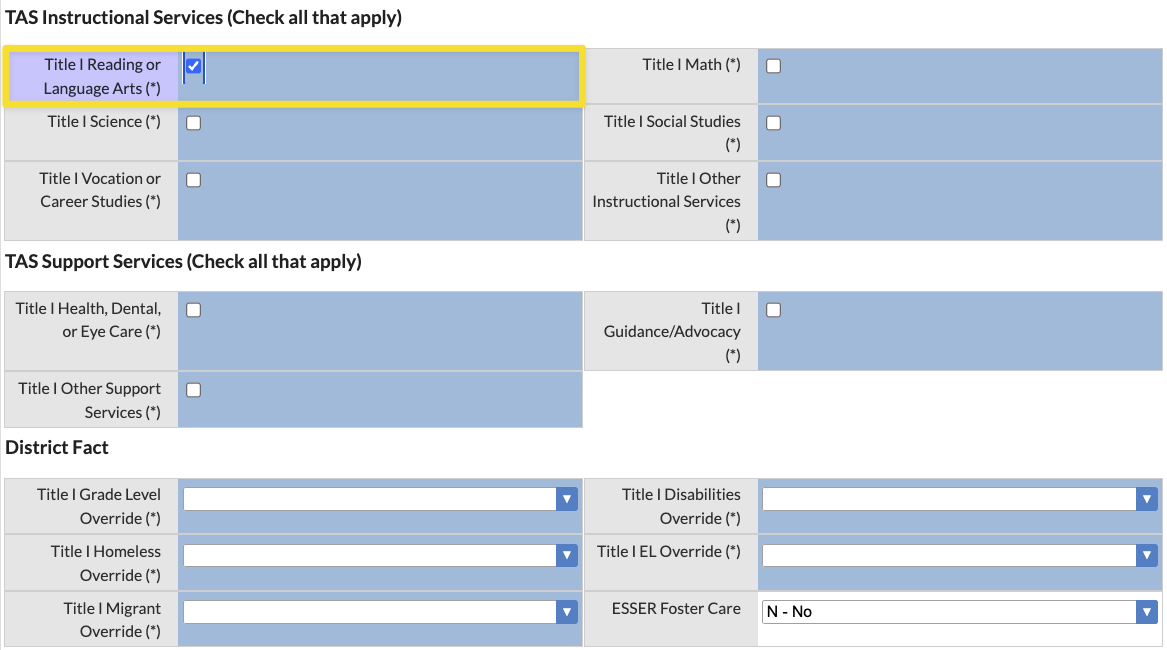
4. Select all appropriate TAS Instructional, Support, and District Fact services that apply to that student. Click Save in the upper right hand corner of the screen when finished.
5. Repeat for each qualifying child.
For more information, contact the Upper St. Clair Director of Strategic Initiatives or by visiting PDE's website to learn more about Title I.

